Photo as the interface.
The whole app starts from one action — take a picture of the notice. Everything else — parsing, scheduling, dispatch, proposals — is downstream from that single tap.
Elev8 Comply is a shipped mobile AI app built for Precision Lift Co., a Southern California elevator compliance company. Snap a photo of an Order to Comply notice — the AI extracts the deadline, drafts the proposal, tracks the 48-hour clock, and dispatches the right technician. Everything the owner used to do by hand, now handled from a phone.
California elevator compliance runs on Order to Comply notices, strict deadlines, and a state-mandated 48-hour advance notice requirement before any work begins. Precision Lift Co. was handling all of it manually — email threads, spreadsheets, and phone calls. Every notice was a race against a clock the owner had to track himself. The rebuild had to do one thing: make the whole workflow start with a photo, and let the AI handle everything after.
Elevator compliance software mostly looks like enterprise CRM configured with a company name. That wasn't the brief. This was designed as a mobile-first product for people who work with their hands, and it had to feel like something you actually want to open.
The whole app starts from one action — take a picture of the notice. Everything else — parsing, scheduling, dispatch, proposals — is downstream from that single tap.
California's 48-hour advance notice requirement is a legal obligation, not a nice-to-have. Every screen shows a deadline. Every deadline shows its clock. No one ever has to hunt for what's urgent.
The owner, the office staff, and the field technicians all use the same app. The interface adapts — same design system, different surfaced actions per role. No parallel platforms to maintain.
Every AI-parsed notice includes its confidence score and the specific fields it extracted. If the AI can't defend the reading, it flags for human review instead of guessing.
Design, front-end, AI integration, deploy. Same person from the initial photo-capture concept through the last production release. No hand-off. No lost context.
The whole product resolves around three seconds. The technician or office admin points the camera at a paper Order to Comply notice. The AI reads it — address, deadline, violation codes, work scope, 48-hour flag — and turns it into structured data. The owner sees the ranked deadline in his pocket before the person who filed the notice has walked back to their car.
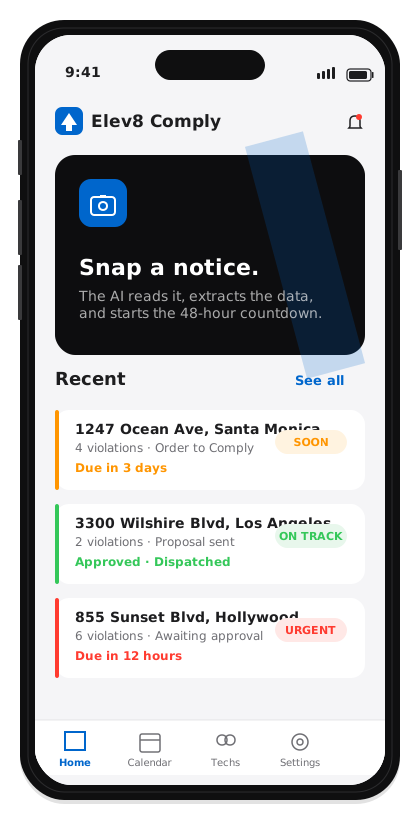
Point the camera at the paper Order to Comply. Any angle, any lighting.
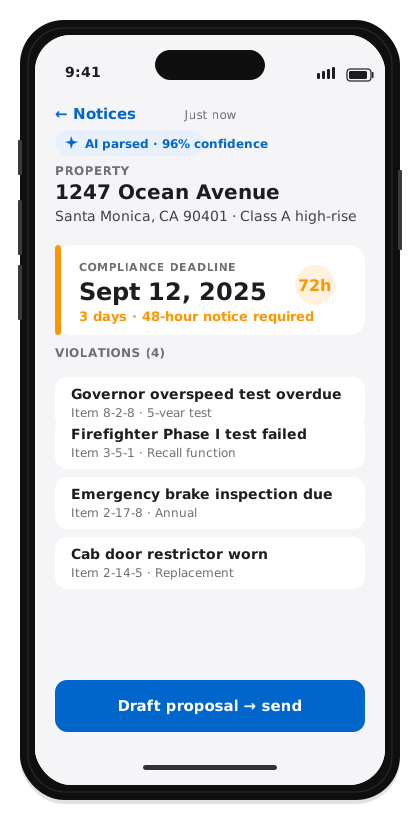
GPT-4o extracts address, deadline, violation codes, and 48-hour flags with confidence scores.
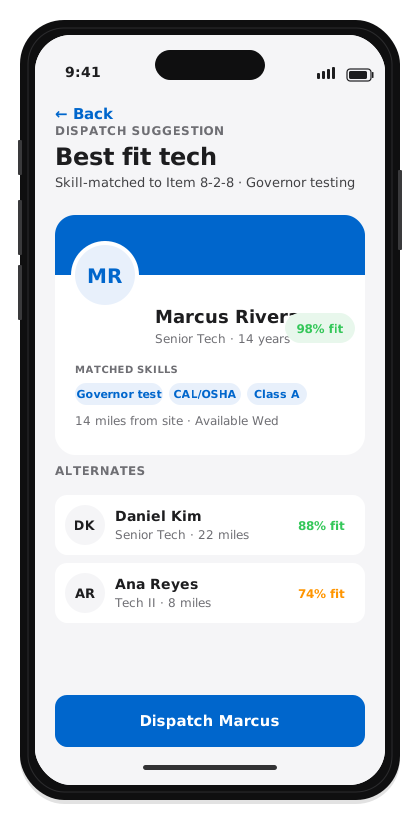
Skill-tag matching finds the right technician. One tap sends them on their way.
Once the notice is in, the compliance calendar tracks every California deadline automatically. Color-coded urgency. Auto-filed 48-hour advance notices. Nothing slips.
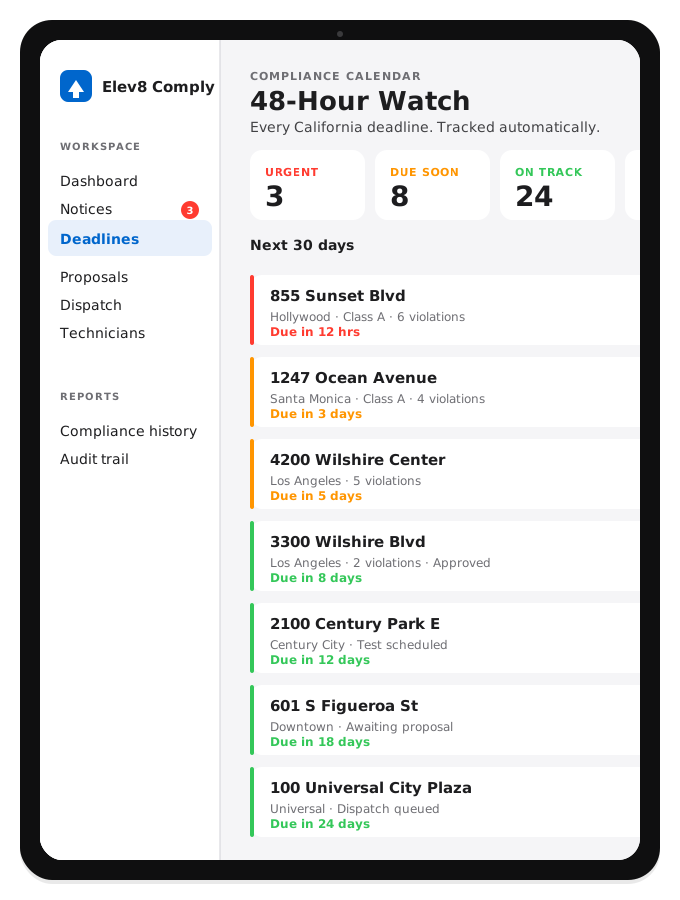
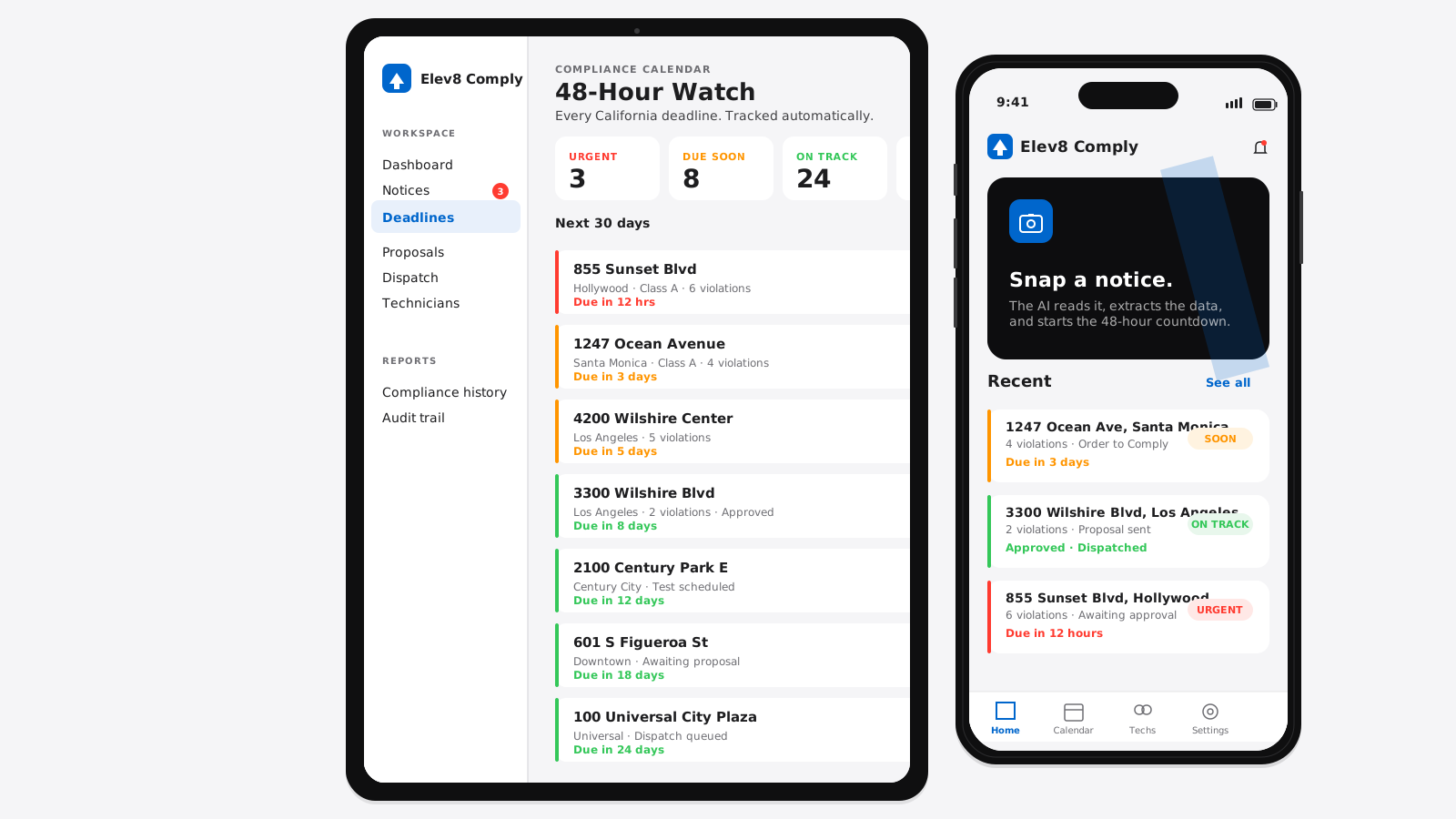
A tour of the app across iPhone and iPad. The owner runs the whole business from his phone. Office staff live on iPad. The design system carries across both.
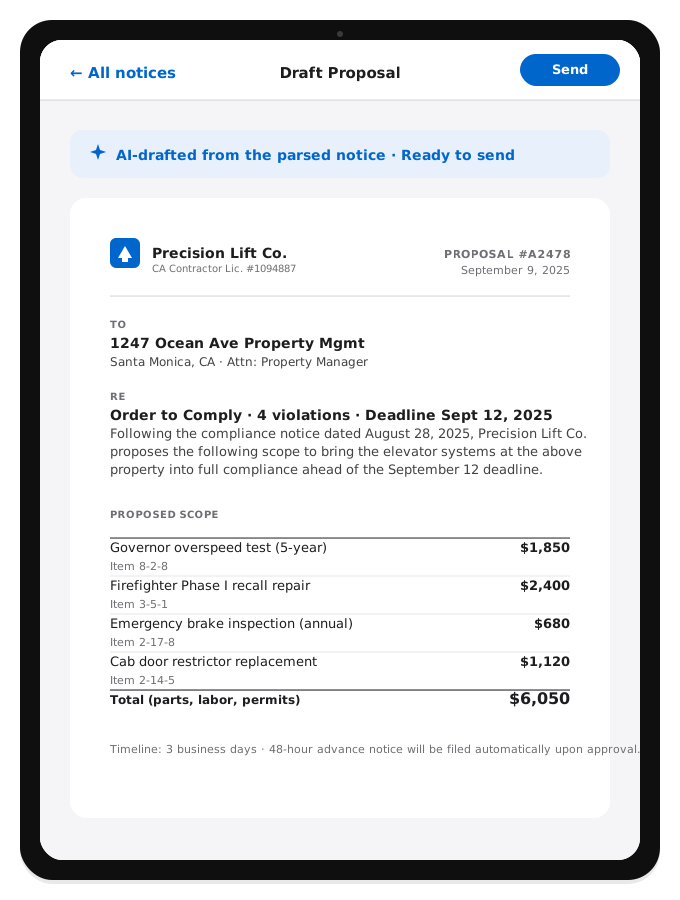
The AI takes the parsed notice, pulls the matching scope items from Precision Lift's rate book, drafts the letter, formats the pricing table, and puts it in front of the owner ready to send. What used to take 30 to 90 minutes now takes one review pass.
Every state-mandated 48-hour advance notice tracked from the moment the AI extracts it from the notice. Color-coded urgency across the whole book of business. The owner glances at his iPad in the morning and knows the day's priorities before his first coffee.
Every violation code maps to a required skill. Every technician has a skill-tag profile. The dispatcher opens the job and the app recommends the best-fit tech ranked by proximity, availability, and skill match — with two alternates one tap away.
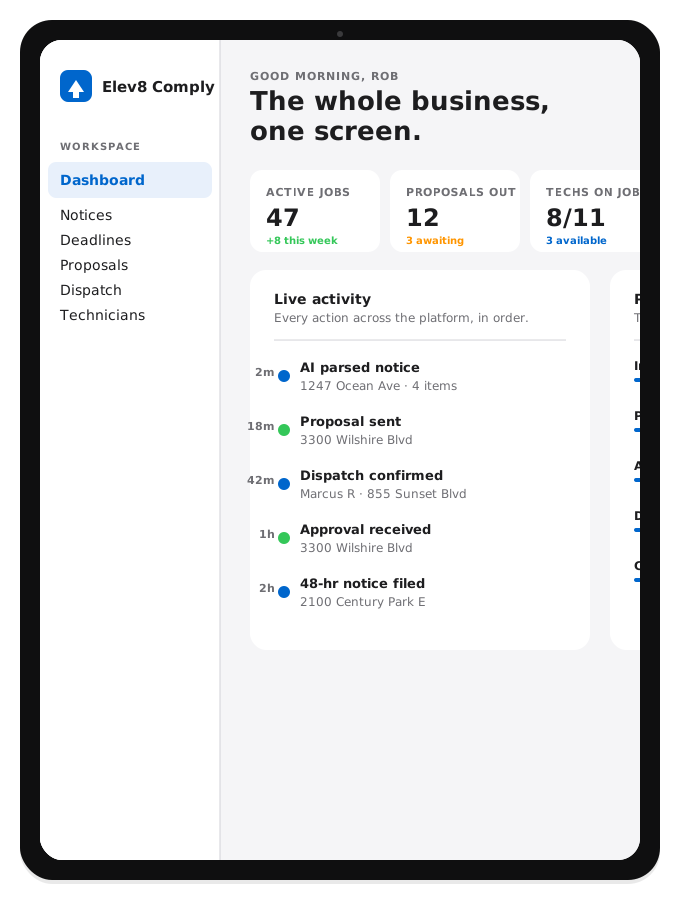
The owner's dashboard. Active jobs, proposals out, techs on job, revenue MTD — the four numbers he needs to see, updated in real time. Below that: live activity feed and the pipeline stages. No custom reports, no exports — the answer is on the home screen.
The entire product works in one hand. Field technicians see their assigned jobs. Office staff can approve proposals. The owner can dispatch a technician from a parking lot. Full parity with the iPad experience — same design system, mobile-first defaults.
iPhone and iPad, across the primary flows. Every screen shipped — this is production, not a mockup deck.
Product design, front-end, and AI integration, treated as one connected practice. Same person from the first sketch to the last deploy. If that's the conversation you're trying to have, this is where it starts.